

HTML 转视频:HyperFrames 从崩溃到出片
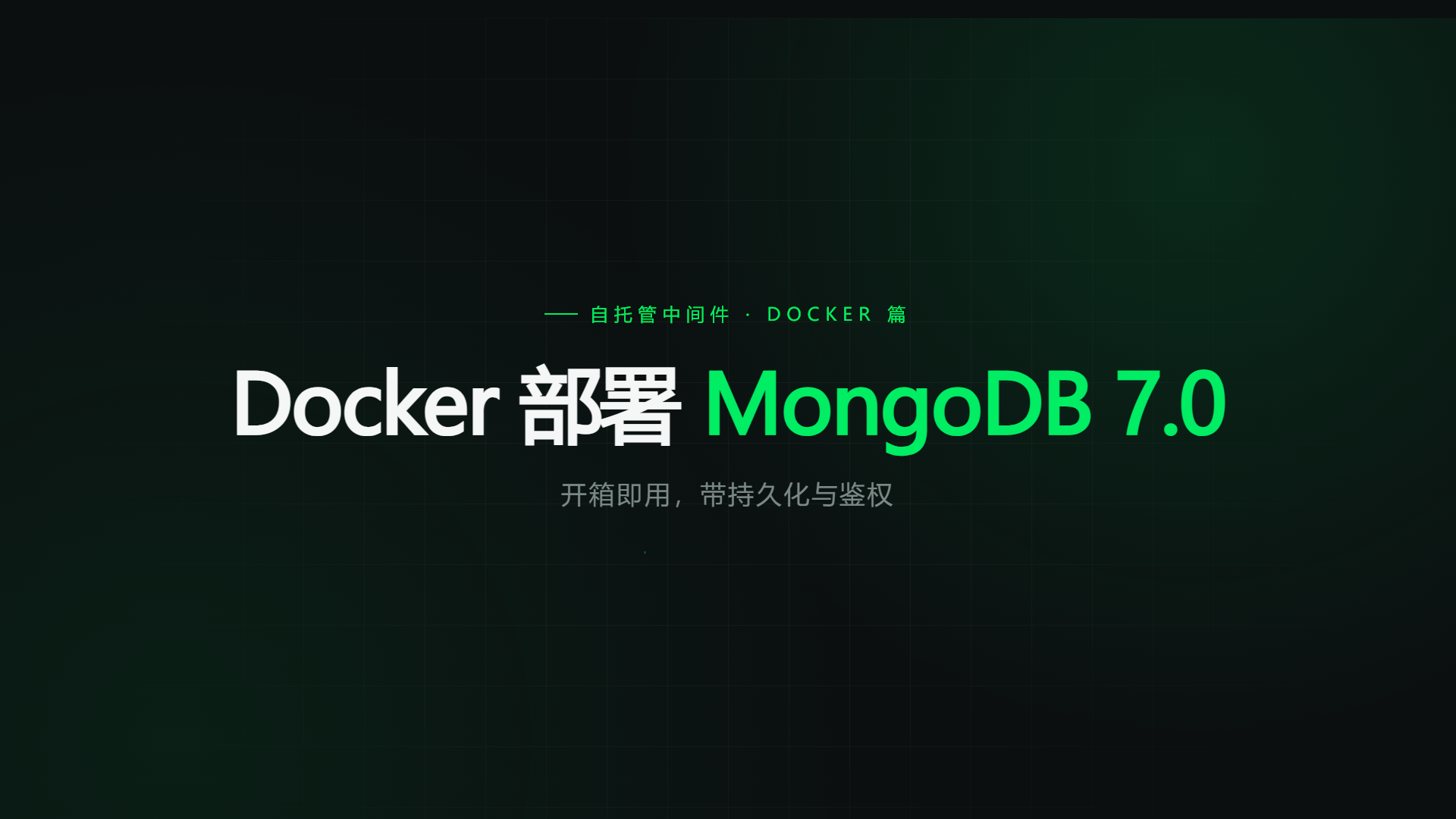
HyperFrames 是 HeyGen 开源的「写 HTML、渲染 MP4」框架(Apache-2.0,要求 Node ≥ 22):用 HTML/CSS 排版、用 GSAP 描述时间线,CLI 驱动 headless Chrome 逐帧截图,再交给 FFmpeg 编码。我想验证它能不能替代剪辑软件,给站点文章做一支 15 秒片头。
结论先行:能。15 秒 1920×1080 的片子,渲染用了 25.6 秒,产出 1.4 MB 的 H.264 + AAC MP4。但第一次跑通靠的不是动画技巧,而是把三处默认依赖都改成手动可控——模板默认的 GSAP CDN、捆绑的 headless Chrome、没有声明的中文字体,在我的网络和系统上一个都没顺利过关。
我想做什么 / 成功判据
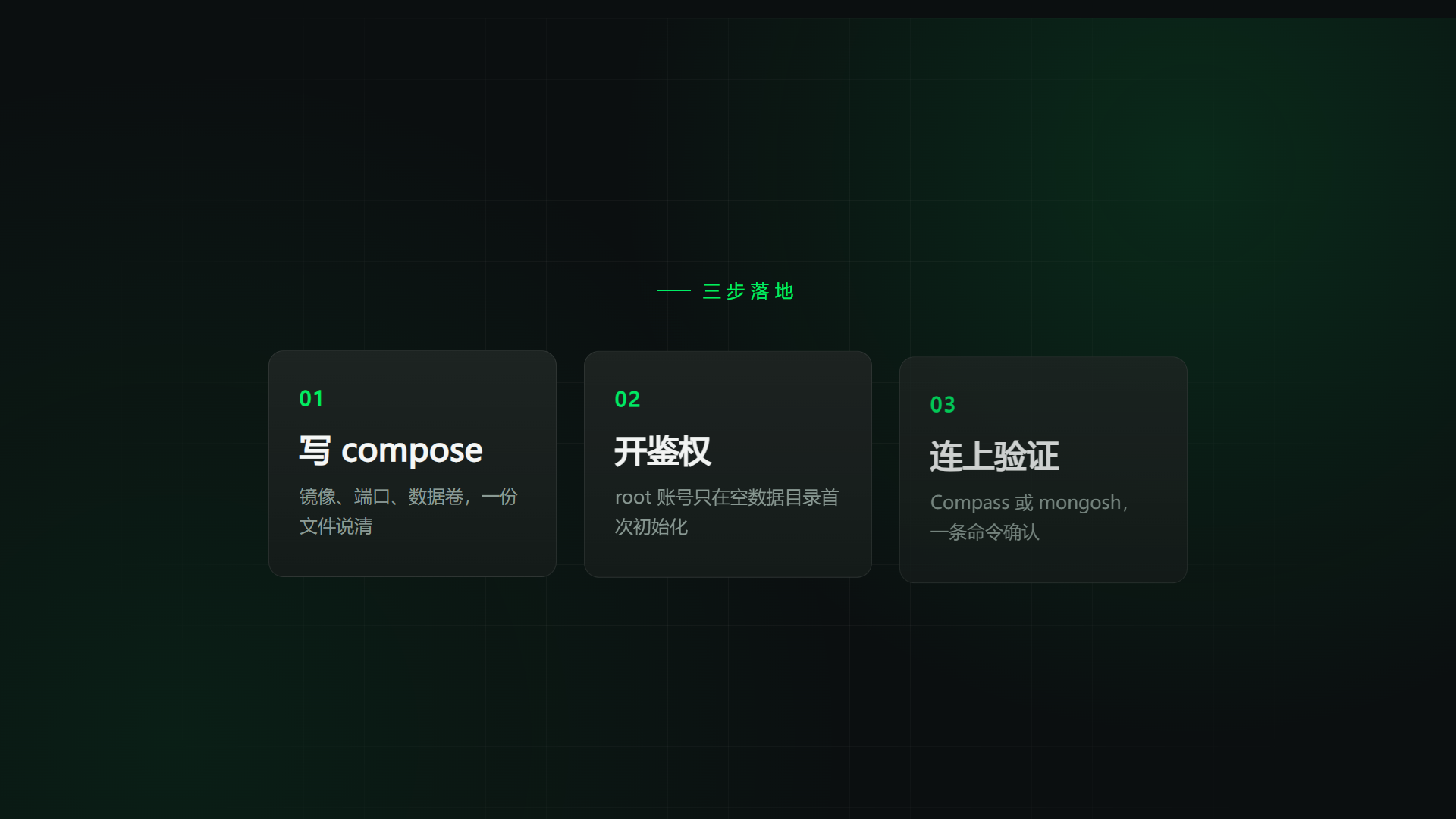
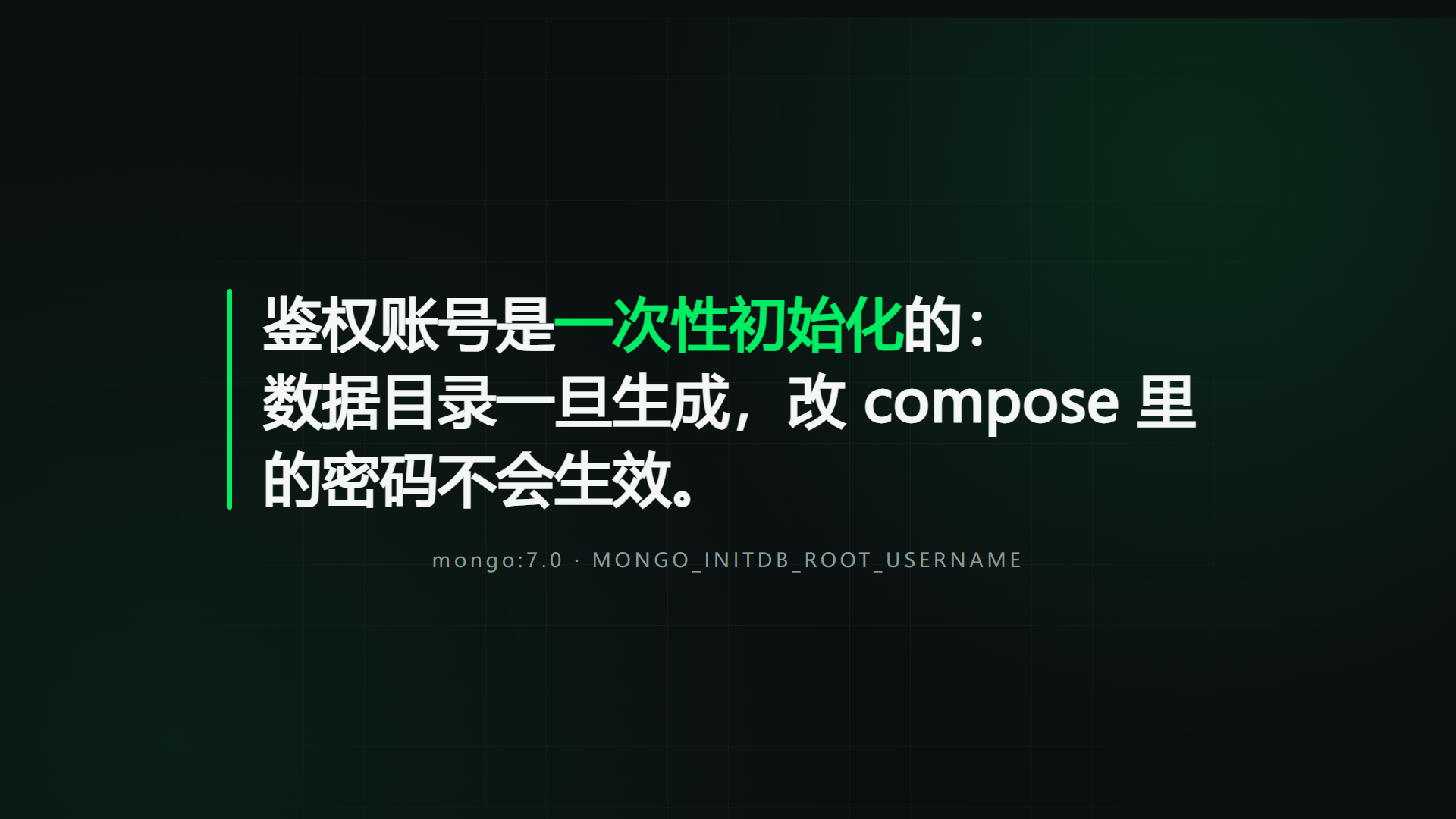
想做的是一支三幕片头:标题(Docker 部署 MongoDB 7.0)→ 三步落地 → 一条不可逆的鉴权提醒。选 HyperFrames 而不是剪辑软件,理由很实际:排版、动效、改字都能用我熟悉的 HTML/CSS 完成,版本可 diff,批量出片可以脚本化。
开工前定了五条成功判据,避免「看着像成了」:
npx hyperframes check的 Lint 与 Runtime 都是 0 error;render能产出可播放的 MP4,ffprobe 读到 450 帧、30fps、15 秒;不同时间点抽帧内容不同——证明动画真的在走,而不是渲了一堆静帧;
全流程不依赖任何外网 CDN,断网也能重渲;
成片带音轨——ffprobe 能看到一条 48 kHz 的 AAC 流。
第 4 条是这次实验真正的核心矛盾。HyperFrames 的宣传语是「write HTML, render MP4」,听起来只考验前端功底;实际第一次出片时,拦住我的是三个和动画无关的依赖问题。
过程记录
第 0 步:环境
FFmpeg 是硬依赖,先确认在 PATH 里:
ffmpeg -version第 1 步:脚手架
npx hyperframes@0.8.214 init demo-video
cd demo-video
命令会生成 index.html、meta.json、hyperframes.json、package.json,以及给 AI agent 看的 AGENTS.md / CLAUDE.md。生成的 package.json 把版本钉死,保证几周后重渲结果一致:
{
  "scripts": {
    "dev": "npx --yes hyperframes@0.8.214 preview",
    "check": "npx --yes hyperframes@0.8.214 check",
    "render": "npx --yes hyperframes@0.8.214 render"
  }
}
这一步还会尝试从 GitHub 克隆一套 skills,我的网络下克隆失败,提示
Failed to clone repository,但脚手架本身照常生成。它只影响 AI 辅助写片,不影响渲染;联网后跑npx hyperframes skills update补装即可。
第 2 步:写一版 composition
HyperFrames 的契约比想象中窄,记住四条就够:
根元素带
data-composition-id、data-width、data-height、data-duration;每个「有时间」的元素带
data-start和时长,并加class="clip";动画时间线必须
paused: true,注册到window.__timelines[compositionId];只写确定性逻辑:不许
Date.now()、Math.random()、运行时网络请求。
骨架长这样:
<div id="root" data-composition-id="main" data-start="0"
data-duration="15" data-width="1920" data-height="1080" data-fps="30">
<section class="scene clip" data-start="0" data-duration="5">…</section>
<section class="scene clip" data-start="5" data-duration="5">…</section>
<section class="scene clip" data-start="10" data-duration="5">…</section>
</div>
<script>
window.__timelines = window.__timelines || {};
const tl = gsap.timeline({ paused: true });
tl.fromTo("#s1-title", { opacity: 0, y: 24 },
{ opacity: 1, y: 0, duration: 0.9, ease: "power4.out" }, 0.35);
tl.seek(0);
window.__timelines["main"] = tl;
</script>完整的三幕版本在文末附录,可以直接复制运行。
第 3 步:第一次 check,栽在字体上
npx hyperframes check第一次跑直接报错:
✗ font_family_without_font_face: Font families used without @font-face declaration:
microsoft yahei, pingfang sc. These are not in the auto-resolved font list,
so the renderer cannot supply them automatically. Text will fall back to a
generic font, producing incorrect typography in the video.问题:CSS 里写了 "Microsoft YaHei", "PingFang SC",lint 不认。
复现:任何中文 composition 只要直接写系统字体名就会触发。
根因:HyperFrames 能把字体内嵌进渲染环境,但只对「自动解析列表」里的字体生效;系统字体必须显式声明,否则渲染器无法保证拿到同一套字形。
解决:给每个字体补一条 @font-face,用 local() 指向系统字体:
@font-face {
  font-family: "Microsoft YaHei";
  src: local("Microsoft YaHei");
}
@font-face {
  font-family: "PingFang SC";
  src: local("PingFang SC");
}验证:重跑 check,这个 error 消失,Lint 变成 0 error(s), 3 warning(s)。
第 4 步:第二次 check,Chrome 起不来
字体修好后,新的报错更让人意外:
✗ check_runtime_failure: Protocol error (Target.setDiscoverTargets): Target closed
Chrome exited with code 3221225595 when launched on its own.
0xC000007B: the executable and a DLL do not match (32-bit and 64-bit).
而 npx hyperframes doctor 明明显示 Chrome 是绿的:
✓ Chrome cache: C:\Users\...\.cache\hyperframes\chrome\chrome-headless-shell\win64-152.0.7977.30\...问题:doctor 认为 Chrome 可用,check 一启动就崩。
复现:npx hyperframes check 每次都在启动浏览器时失败,与 composition 内容无关。
根因:doctor 只检查可执行文件是否存在,不真正启动;缓存里的 chrome-headless-shell 与依赖 DLL 位数不匹配(0xC000007B 的典型症状),文件在、跑不起来。
解决:不再用那份缓存,改为指向系统 Chrome。PowerShell:
$env:HYPERFRAMES_BROWSER_PATH="C:\Program Files\Google\Chrome\Application\chrome.exe"
npx hyperframes check
macOS / Linux 对应 export HYPERFRAMES_BROWSER_PATH=/path/to/chrome。也可以清掉缓存重下(npx hyperframes browser clear 后再 npx hyperframes browser ensure --force),代价是重新下载一份浏览器。
验证:check 顺利跑完 9 个布局采样点,Layout 0 issue、Contrast 22/22 通过。
第 5 步:对照实验——模板默认的 GSAP 走 CDN
脚手架 index.html 默认这样引 GSAP:
<script src="https://cdn.jsdelivr.net/npm/gsap@3.14.2/dist/gsap.min.js"></script>问题:模板默认从 jsdelivr 拉 GSAP,而不是把库放进项目。
复现:把它单独复制成一个 demo-cdn 项目,只改 script src,其余不动,跑 check:
✗ request_failed: Failed to load npm/gsap@3.14.2/dist/gsap.min.js: net::ERR_TIMED_OUT
2 error(s), 0 warning(s), 0 info(s)
Check failed根因:CDN 在本机不可达,GSAP 根本没加载,整条时间线不会执行——不是动画变卡,是动画不存在。
解决:把 GSAP 装进项目,用相对路径引用。
npm install gsap@3.14.2 --no-audit --no-fund
New-Item -ItemType Directory -Force vendor | Out-Null
Copy-Item node_modules\gsap\dist\gsap.min.js vendor\gsap.min.js
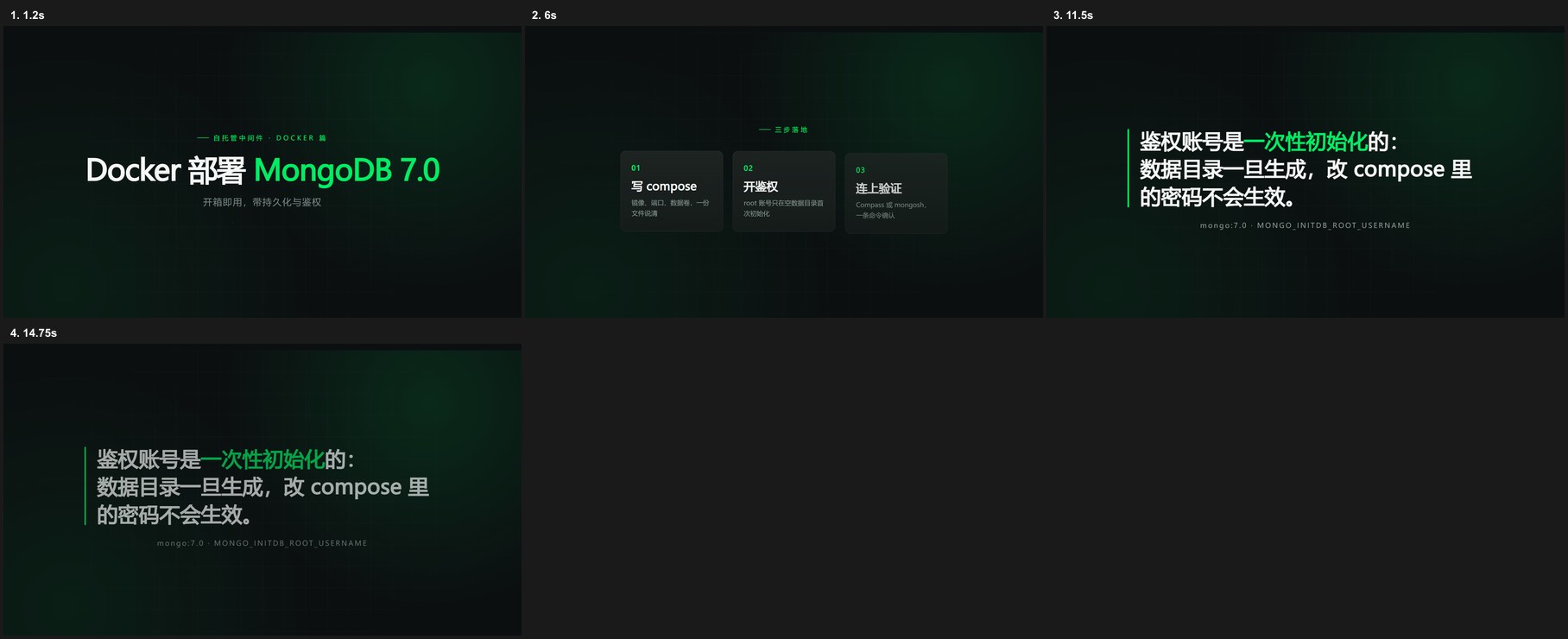
<script src="vendor/gsap.min.js"></script>验证:check 的 Runtime 回到 0 error;snapshot --at 1.2,6,11.5 三张抽帧的哈希互不相同,说明动画确实在推进。
第 6 步:补旁白,让片子有声音
HyperFrames 不会凭空给片子加声音:composition 里没有 <audio>,渲染出来就是静音(check 的 Audio 段会明确写一条 audio_none)。我第一版就是这样,打开 MP4 才发现没声。
补音轨有两条路:放 BGM,或写字幕后用 TTS 生成旁白。片上三幕都是完整句子,先配旁白更划算。用 Windows 自带的 SAPI 中文语音(Microsoft Huihui)离线生成,不装任何模型:
Add-Type -AssemblyName System.Speech
$s = New-Object System.Speech.Synthesis.SpeechSynthesizer
$s.SelectVoice("Microsoft Huihui Desktop")
$s.Rate = 5
$s.SetOutputToWaveFile("audio/vo-1.wav")
$s.Speak("Docker 部署 MongoDB 7.0,开箱即用,带持久化和鉴权。")
三句分别对应三幕。生成后做两步处理:去掉首尾静音、统一响度,再转 MP3:
ffmpeg -y -i audio/vo-1.wav -af "silenceremove=start_periods=1:start_threshold=-45dB,areverse,silenceremove=start_periods=1:start_threshold=-45dB,areverse,loudnorm=I=-16:TP=-1.5:LRA=11" -codec:a libmp3lame -b:a 128k audio/vo-1.mp3然后挂到 composition 里。旁白用独立的 <audio>,不用 <video>:
<audio id="vo1" src="audio/vo-1.mp3" data-start="0.55" data-duration="3.56"></audio>
<audio id="vo2" src="audio/vo-2.mp3" data-start="5.55" data-duration="2.80"></audio>
<audio id="vo3" src="audio/vo-3.mp3" data-start="10.55" data-duration="3.59"></audio>这里有个小坑:data-duration 要贴着音频真实时长写。第一版我留了 0.1 秒余量,check 直接给三条 clip_media_fit——渲染时槽位会被裁到媒体长度,余量没意义。
验证:
check的 Audio 段不再报audio_none;渲染日志出现
audioCount: 3、hasAudio: true;ffprobe 多出一条
aac、48000 Hz、双声道;npx hyperframes audio renders/demo.mp4报-16.8 LUFS, true peak -1.9 dBTP,旁白起点 0.609 秒、尾音 14.080 秒,三段都落在 15 秒内。
用 PowerShell 读写中文台词要显式指定 UTF-8(
[System.IO.File]::ReadAllText($p, [Text.Encoding]::UTF8)),否则 SAPI 会拿到乱码,念出来是另一回事。
结果与数据
check 的最终报告:
渲染结果:
1.4 MB · 15.0s video · rendered in 25.6s
screenshot capture · hardware gpu · compile 0.4s · setup 6.9s · capture 17.1s · audio 2.3s · encode 0.3s · assemble 0.6s
ffprobe 校验:
codec_name=h264
width=1920
height=1080
r_frame_rate=30/1
nb_frames=450
codec_name=aac
codec_type=audio
sample_rate=48000
channels=2
duration=15.000000
size=1499989
bit_rate=799994
成品预览:(15 秒,1.4 MB,带中文旁白)
Craft 的 3 条建议值得单独说,它们把「像不像一支能发出去的片子」量化了:
first_frame_empty:第 0 帧只有背景。首帧是社交平台的缩略图,标题应该一开始就在。text_below_floor:9 个文字元素小于 28px 的阅读下限(最小的 24px),手机上会吃力。line_unread:末句 21 个词只停留 4.53 秒,低于「0.5 秒 + 0.3 秒/词」的 5.10 秒下限。
这三条我都还没改——它们不影响「技术跑通」,但影响「能发」。这也是本次实验的半成品部分:片子能渲,节奏还没调到可发布。
复盘
真正的方法论只有一句:把依赖本地化。 动画写法是可迁移的前端知识,HyperFrames 只是换了个渲染出口;而第一次出片的阻力,全部来自「默认值假设你能连外网、缓存里的浏览器一定能启动、系统字体渲染器一定认得」。三个坑里有三个都是默认值的锅。
具体能带走的经验:
doctor 绿不等于能跑。 它只做存在性检查,不启动浏览器;遇到
Target closed或0xC000007B,先怀疑缓存里的 headless shell,再考虑换系统 Chrome。CDN 依赖要做对照实验。 把同一份 composition 的
script src换成 CDN 跑一次check,能立刻区分「动画写错了」和「库没加载」。字体声明是硬门槛。 中文项目在
@font-face里用local()指系统字体即可通过,不需要打包字体文件。check 的 Craft 规则是按短视频阅读节奏算的,不是形式主义:字号下限 28px、每行停留 0.5 秒 + 0.3 秒/词、首帧别空。要做能发的片子,这三条迟早要过。
还没做、准备接着做的:
旁白已经用 Windows SAPI 补上;下一步换真人配音,或加一层 BGM 并在
data-volume上做 ducking(doctor 里的 whisper-cpp、Kokoro TTS、MusicGen 目前都没装);把三个
<section>拆成 sub-composition,消掉 3 条结构 warning,顺便支持复用;用
--docker做一次确定性渲染,对比本机 Chrome 的字体与版本差异;试一次
--variables批量出片:同一套版式,换标题就是另一支视频。
暂时不碰的:3D、复杂转场、多机位。15 秒片头用单文件 + 两三条 GSAP 缓动就够,先把「每月 ≥2 篇」的内容节奏跑起来再说。
一个和 HyperFrames 无关但真实发生的坑:用 PowerShell 5.1 的 Get-Content/Set-Content 直接改这份 UTF-8 HTML,会把中文读成 GBK 再写回,渲染出来满屏乱码。改中文 composition 时要么用编辑器,要么显式指定 -Encoding UTF8 读写。
附录:完整源码(index.html)
以下就是本篇验证过的文件,vendor/gsap.min.js 为 GSAP 3.14.2 的 dist/gsap.min.js。
<!doctype html>
<html lang="zh-CN">
<head>
<meta charset="UTF-8" />
<meta name="viewport" content="width=1920, height=1080" />
<script src="vendor/gsap.min.js"></script>
<style>
@font-face {
font-family: "Microsoft YaHei";
src: local("Microsoft YaHei");
}
@font-face {
font-family: "PingFang SC";
src: local("PingFang SC");
}
:root {
--ground: #0b0f10;
--ink: #f5f7f6;
--muted: #8a9a94;
--accent: #00ed64;
--card: #141b19;
--font-display: "Microsoft YaHei", "PingFang SC", sans-serif;
}
* {
margin: 0;
padding: 0;
box-sizing: border-box;
}
html,
body {
margin: 0;
width: 1920px;
height: 1080px;
overflow: hidden;
background: var(--ground);
}
#root {
position: relative;
width: 100%;
height: 100%;
overflow: hidden;
font-family: var(--font-display);
color: var(--ink);
background:
radial-gradient(circle at 82% 18%, rgba(0, 237, 100, 0.12), transparent 42%),
radial-gradient(circle at 12% 88%, rgba(0, 237, 100, 0.07), transparent 46%),
var(--ground);
}
.grid {
position: absolute;
inset: 0;
background-image:
linear-gradient(rgba(255, 255, 255, 0.035) 1px, transparent 1px),
linear-gradient(90deg, rgba(255, 255, 255, 0.035) 1px, transparent 1px);
background-size: 80px 80px;
mask-image: radial-gradient(circle at 50% 50%, #000 30%, transparent 78%);
}
.scene {
position: absolute;
inset: 0;
display: flex;
flex-direction: column;
align-items: center;
justify-content: center;
padding: 120px 160px;
}
.kicker {
display: flex;
align-items: center;
gap: 16px;
font-size: 24px;
letter-spacing: 0.32em;
color: var(--accent);
text-transform: uppercase;
}
.kicker::before {
content: "";
width: 44px;
height: 2px;
background: var(--accent);
}
h1 {
margin-top: 40px;
font-size: 108px;
font-weight: 700;
line-height: 1.12;
letter-spacing: -0.02em;
text-align: center;
}
h1 em {
font-style: normal;
color: var(--accent);
}
.sub {
margin-top: 36px;
font-size: 34px;
color: var(--muted);
letter-spacing: 0.08em;
}
.rule {
width: 220px;
height: 3px;
margin-top: 56px;
background: linear-gradient(90deg, var(--accent), transparent);
transform-origin: left center;
}
.steps {
display: flex;
gap: 36px;
margin-top: 64px;
}
.card {
width: 380px;
padding: 44px 40px 48px;
border: 1px solid rgba(255, 255, 255, 0.08);
border-radius: 20px;
background: linear-gradient(180deg, rgba(255, 255, 255, 0.04), transparent), var(--card);
}
.card .idx {
font-size: 26px;
font-weight: 700;
color: var(--accent);
letter-spacing: 0.1em;
}
.card h2 {
margin-top: 22px;
font-size: 42px;
font-weight: 600;
letter-spacing: 0.01em;
}
.card p {
margin-top: 16px;
font-size: 24px;
line-height: 1.6;
color: var(--muted);
}
.quote {
position: relative;
max-width: 1320px;
padding-left: 48px;
font-size: 76px;
font-weight: 600;
line-height: 1.35;
letter-spacing: 0.01em;
}
.quote::before {
content: "";
position: absolute;
left: 0;
top: 8px;
bottom: 8px;
width: 6px;
border-radius: 3px;
background: var(--accent);
}
.quote strong {
color: var(--accent);
font-weight: 700;
}
.credit {
margin-top: 40px;
font-size: 26px;
letter-spacing: 0.18em;
color: var(--muted);
}
</style>
</head>
<body>
<div
id="root"
data-composition-id="main"
data-start="0"
data-duration="15"
data-width="1920"
data-height="1080"
data-fps="30"
>
<div class="grid" id="grid"></div>
<audio id="vo1" src="audio/vo-1.mp3" data-start="0.55" data-duration="3.56" data-volume="1"></audio>
<audio id="vo2" src="audio/vo-2.mp3" data-start="5.55" data-duration="2.8" data-volume="1"></audio>
<audio id="vo3" src="audio/vo-3.mp3" data-start="10.55" data-duration="3.59" data-volume="1"></audio>
<section id="scene1" class="scene clip" data-start="0" data-duration="5">
<div class="kicker" id="s1-kicker">自托管中间件 · Docker 篇</div>
<h1 id="s1-title">Docker 部署 <em>MongoDB 7.0</em></h1>
<div class="sub" id="s1-sub">开箱即用,带持久化与鉴权</div>
<div class="rule" id="s1-rule"></div>
</section>
<section id="scene2" class="scene clip" data-start="5" data-duration="5">
<div class="kicker" id="s2-kicker">三步落地</div>
<div class="steps">
<div class="card" id="s2-card1">
<div class="idx">01</div>
<h2>写 compose</h2>
<p>镜像、端口、数据卷,一份文件说清</p>
</div>
<div class="card" id="s2-card2">
<div class="idx">02</div>
<h2>开鉴权</h2>
<p>root 账号只在空数据目录首次初始化</p>
</div>
<div class="card" id="s2-card3">
<div class="idx">03</div>
<h2>连上验证</h2>
<p>Compass 或 mongosh,一条命令确认</p>
</div>
</div>
</section>
<section id="scene3" class="scene clip" data-start="10" data-duration="5">
<div class="quote" id="s3-quote">
鉴权账号是<strong>一次性初始化</strong>的:<br />
数据目录一旦生成,改 compose 里的密码不会生效。
</div>
<div class="credit" id="s3-credit">mongo:7.0 · MONGO_INITDB_ROOT_USERNAME</div>
</section>
</div>
<script>
window.__timelines = window.__timelines || {};
const tl = gsap.timeline({ paused: true });
tl.fromTo("#grid", { opacity: 0, scale: 1.06 }, { opacity: 1, scale: 1, duration: 1.4, ease: "power2.out" }, 0);
tl.fromTo("#s1-kicker", { opacity: 0, x: -24 }, { opacity: 1, x: 0, duration: 0.6, ease: "power3.out" }, 0.15);
tl.fromTo("#s1-title", { opacity: 0, filter: "blur(14px)", y: 24 }, { opacity: 1, filter: "blur(0px)", y: 0, duration: 0.9, ease: "power4.out" }, 0.35);
tl.fromTo("#s1-sub", { opacity: 0, y: 18 }, { opacity: 1, y: 0, duration: 0.7, ease: "power2.out" }, 0.85);
tl.fromTo("#s1-rule", { scaleX: 0 }, { scaleX: 1, duration: 0.9, ease: "power3.inOut" }, 1.05);
tl.to("#scene1", { opacity: 0, duration: 0.45, ease: "power2.in" }, 4.55);
tl.fromTo("#s2-kicker", { opacity: 0, y: 16 }, { opacity: 1, y: 0, duration: 0.5, ease: "power3.out" }, 5.1);
tl.fromTo("#s2-card1", { opacity: 0, y: 48 }, { opacity: 1, y: 0, duration: 0.7, ease: "power3.out" }, 5.35);
tl.fromTo("#s2-card2", { opacity: 0, y: 48 }, { opacity: 1, y: 0, duration: 0.7, ease: "power3.out" }, 5.55);
tl.fromTo("#s2-card3", { opacity: 0, y: 48 }, { opacity: 1, y: 0, duration: 0.7, ease: "power3.out" }, 5.75);
tl.to("#scene2", { opacity: 0, duration: 0.45, ease: "power2.in" }, 9.55);
tl.fromTo("#s3-quote", { opacity: 0, y: 30 }, { opacity: 1, y: 0, duration: 0.85, ease: "power3.out" }, 10.1);
tl.fromTo("#s3-credit", { opacity: 0 }, { opacity: 1, duration: 0.6, ease: "power2.out" }, 10.9);
tl.to("#scene3", { opacity: 0, duration: 0.5, ease: "power2.in" }, 14.4);
tl.seek(0);
window.__timelines["main"] = tl;
</script>
</body>
</html>参考
HyperFrames 官网与文档:https://hyperframes.heygen.com